The 11th of June, 2013
Please kindly note that the 12th of June is the official holiday in the Russian Federation because of Russia's Day.

More

The 6th of June, 2013
To provide faster and more efficient Technical Support to our valued users we are glad to introduce a new way of getting Technical Support – ACE Laboratory Technical Support Centre.

More


Your e-mail address:

© Copyright ACE Laboratory
Data Extractor UDMA


 Data Extractor

Data Extractor is a specialized software product functioning in tandem with the PC-3000 hardware-software system. It is intended for recovering data from any media (IDE HDD, SCSI HDD, flash memory readers, etc).

Together with PC-3000 it forms the comprehensive solution with unmatched possibilities to make the most of your data recovery business. By all leading data recovery specialists worldwide this kit proves to be indispensable product to anyone involved in data recovery.


 What is it - Data Extractor UDMA?

Data Extractor UDMA is a new version of our Data Extractor product recognized all over the world.

It is a professional software product working as the integral part of PC-3000 for Windows UDMA hardware-software system that recovers data from any IDE (ATA and SATA) HDD 3.5″, 2.5″, 1.8″, 1.0″. This solution accumulates all state-of-the-art solutions based on the research works performed by our company in the data recovery field during 19 years.

It can work with the file systems FAT, NTFS, EXT2 and EXT3, HFS+, UFS1 and UFS2.

Using Data Extractor UDMA with PC-3000 for Windows UDMA allows you to recover data from HDD in a factory mode.


 Which problems can I solve using Data Extractor?

Extraction of user data

Data Extractor UDMA has different modes for reading user data from Hard Disk Drives.
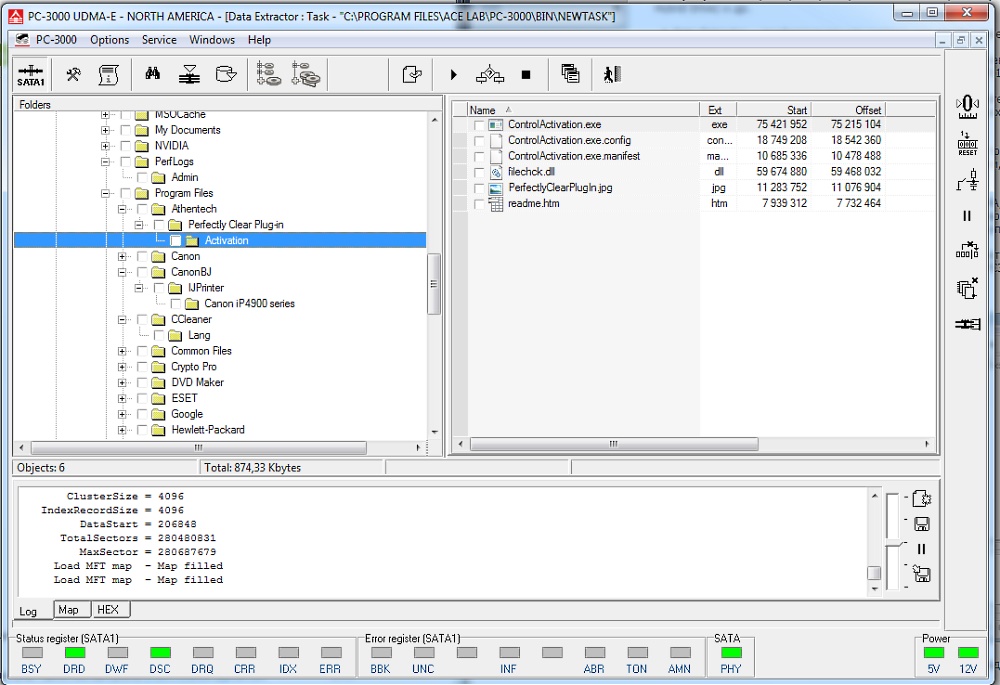
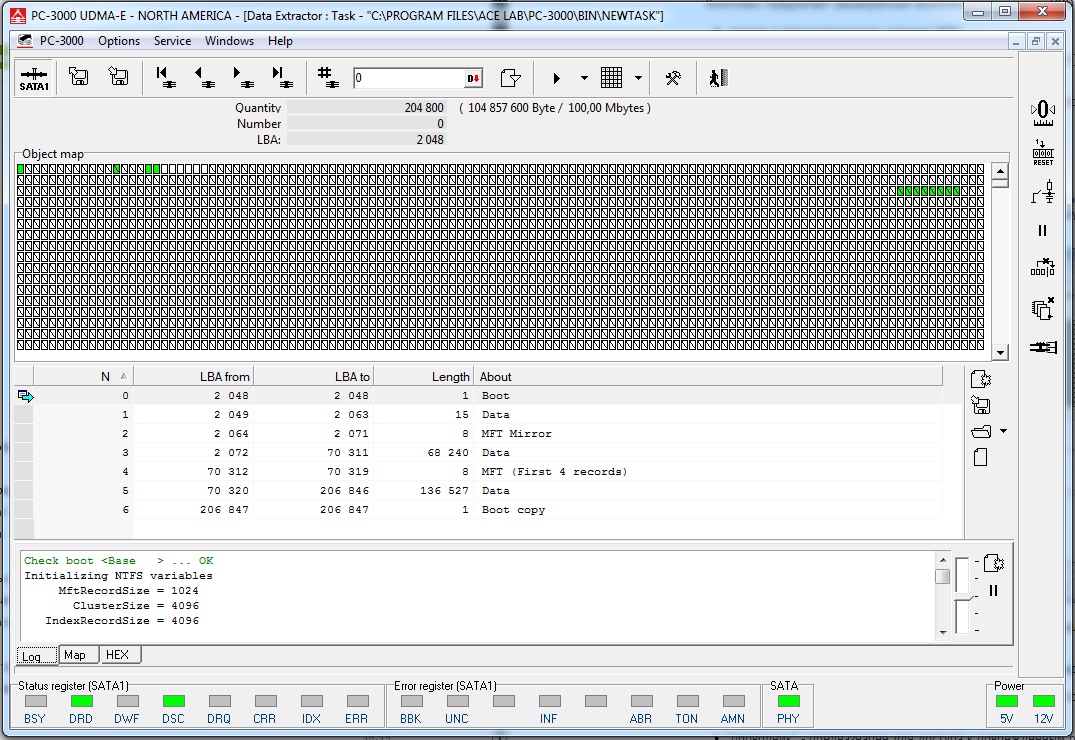
  • When used with malfunctioning drives, PC-3000 UDMA Professional suite often allows selective extraction of data necessary to your customers without reading all data from a drive saving a lot of time. For it you may apply the Map of used sectors of partitions, Map of catalogue data. Also it makes the load on the drive lower. In some cases, when drive malfunctions cause constant self-damage (scratches on disks) these are the only means to accomplish this task.

  • While recovering your data you can create the full (sector-by-sector) or partial (to image files) copy of data from the damaged drive to any other good drive connected to the second port of PC-3000 UDMA board or connected standardly to the computer (Primary, Secondary IDE; SCSI etc.).

Data recovery at various HDD damages

Data recovery from physically damaged HDDs is the main purpose of PC-3000 for Windows UDMA with Data Extractor UDMA system:

Physically damaged HDDs are the hard drives with damaged surface or magnetic-head assembly, defective "service information" that leads to unstable reading and multiple errors, corrupted translation system between logical block addressing (LBA) and physical geometry of HDD (translator).
  • Data recovery from HDDs with multiple BAD sectors, which appear because of damaged surfaces or malfunction of the magnetic head assembly (MHA).
  • Data recovery from HDDs that start to produce "knocking" sounds, which may be caused by corruption of servo labels or a MHA malfunction.
  • If some heads or surfaces are damaged it is possible (before installation of MHA replacement) to create a copy of data using the remaining good surfaces or drive heads.
  • Data recovery from HDDs with corrupted portions in the dynamic system of LBA - PCHS translation.
  • Data recovery using physical drive parameters (PCHS) from some HDD models unable to read data using logical addressing (LBA) - in case of joint operation with PC-3000 for Windows UDMA.

Data recovery from logically damaged HDDs

Logically damaged HDDs are the hard drives with damaged logical structure which do not allow to get the access to the user information by OS instruments. Failures or malfunctions in operation of Hard Drive or OS itself, incorrect operations done by user, virus software can cause these types of damages.
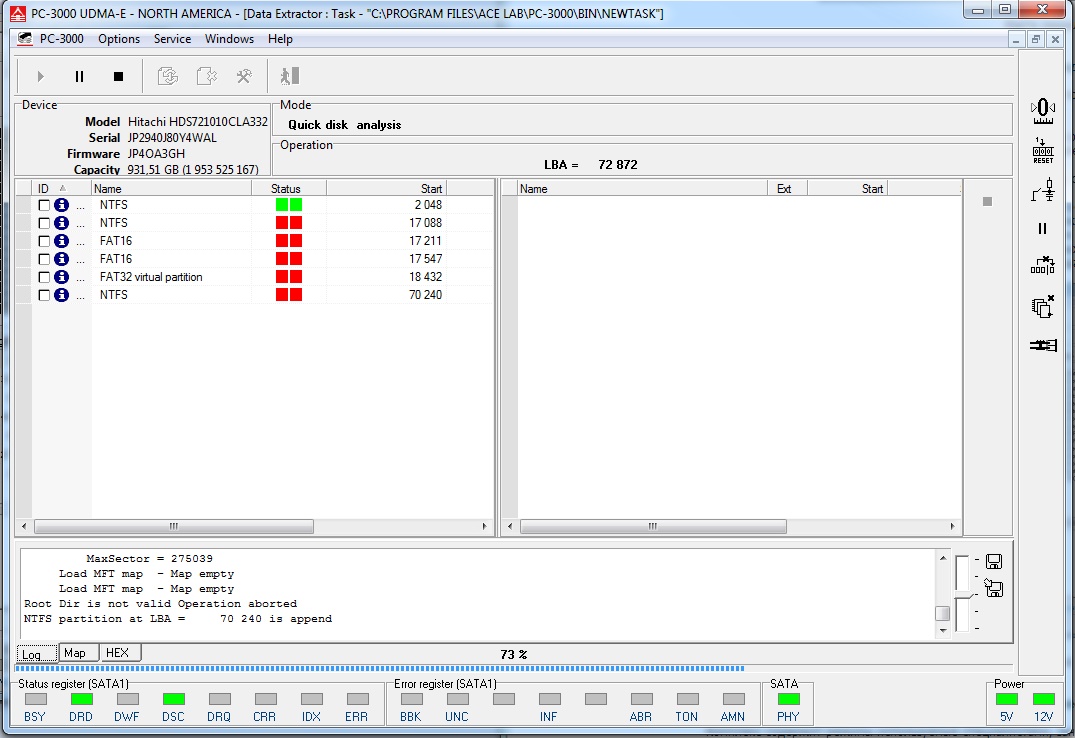
  • Availability of tools for logical analysis of FAT, NTFS and EXT2(3) file systems in the Data Extractor UDMA software allows data recovery in cases, when a drive is functional and only logical data structure is corrupted.

    For example, data recovery at:
    • damaged partition table
    • damages in partition data structures (FAT, MFT, INODE tables etc.)
    • user data are deleted
    • partition is formatted or deleted etc
    • and others

Data recovery from HDD with combination of physical and logical damages

  • You may use the wide possibilities of Data Extractor UDMA product to handle various types of data recovery cases, including those ones that are connected with both physical and logical.

 Basic principles of operation

Combined work of Data Extractor UDMA with PC-3000 for Windows UDMA
  • Data Extractor UDMA software is integrated into the environment of the PC-3000 for Windows UDMA.
  • To recover data from IDE or SATA HDD, the Hard Disk Drive is connected to the ports ATA-0 and ATA-1 of PC-3000 for Windows UDMA. To connect 2.5″, 1.8″, 1.0″ and SATA drives you should use the special adapters which are supplied in the PC-3000 for Windows UDMA delivery kit.

    See here PC-3000 for Windows UDMA kit
Task creation

Work with each individual drive is performed as a separate data recovery task, which should be created in task manager of Data Extractor UDMA. Several tasks may be running simultaneously. During task creation you need to specify the target device and the operations, which must be performed to accomplish the task.

Imaging

You can choose "Create data image" option to force creation of data copy (image) from the drive being inspected; this image will contain a sector-by-sector map of results.The data recovered with errors will be statistically processed, the program will add to the copy only most reliable data.

Data recovery from HDDs with corrupted dynamic translator

You can choose the "Create virtual translator" option to gain access to modes, which enables recovery of data from HDDs with corrupted dynamic translator. That malfunction manifests itself in the form of skipped portions or shifted data.

Drive control possibilities

Selection of a Hard Disk Drive connected to PC-3000 UDMA board ports provides to users extended opportunities for drive control while recovering your data, which is valuable in case of damaged HDDs:

  • power supply control
  • software and hardware reset
  • HDD initialization
  • read forward and backward
  • read ahead (cash function) disabling
  • autorelocation disabling
  • HDD factory mode usage
Using these drive control possibilities very often gives the only way to recover the customers' data from the malfunctioning drive.

Automatic and manual modes

The system of logical analysis and restoration is a tool intended for qualified users. It has a reasonable combination of completely automatic and manual modes for data recovery. Users can participate in the analysis process by modifying its parameters and conditions of its performance instead of just waiting for the results of the automatic procedure.

For that, Data Extractor has:
  • effective data search system (user data, metadata)
  • viewing and editing data structures of various file systems
  • advanced "raw" recovery mode
  • mode of building the used/unused space map - you can search for user data at these maps.

 Supported Hard Drives

The functionality of Data Extractor as a part of PC-3000 UDMA Professional system is not restricted to a limited list of models. PC-3000 UDMA Professional system works with any HDDs (ATA, Serial ATA) connected to PC-3000 UDMA controller board ports and also with all media that can be normally connected to standard computer ports and identified by its operating system (except for CD and DVD drives).

While working with HDDs connected to PC-3000 UDMA controller board ports, PC-3000 UDMA Professional system can work together with the currently active PC-3000 UDMA utility.

In this mode you can use possibilities of the specialized utility to create a map of sector distribution among physical heads, to read data using methods that differ from the ATA standard (e.g., read data from HDD using its physical parameters), to switch off 'autorelocation' at reading etc.

Taking into account this possibility, we can say that Data Extractor supports individual features of drive families and models supported in the PC-3000 for Windows UDMA system.

See HDD models supported by PC-3000 for Windows UDMA


 What's new in UDMA version?

  • Very important: up to 50 MB/s - highly increased speed of reading and copying data for the drives connected to PC-3000 UDMA board ports
  • UNICODE support (national codings)
  • HFS+ (MAC OS) file system support
  • Highly improved logical analysis of NTFS partitions and convenient MFT writing editor, which really helps to "repair" damaged MFT writings and get access to user data
  • Greater possibilities to control the damaged drive while working.
      — added options of switching off cashing and 'autorelocation' at reading
      — added separate control of timeouts for the different operations with the drive

  • Added possibility to work with data image in the form of 1 file
  • Added possibility to export LBA range into 1 file
  • Added option "work only with copy" - it helps to work with the task without accessing the damaged drive
  • Fundamentally modified algorithm of "head map" building - 5 times increased speed of building.

 Why shall I use Data Extractor UDMA and not any other DR program?

Data Extractor UDMA together with PC-3000 for Windows UDMA enables you to recover as much data from the damaged Hard Disk Drive as possible.

Here are the main differences of Data Extractor UDMA compared with numerous data recovery programs of other companies:

Professional solution
  • It is not just merely amateur software - it is the professional hardware-software system proved to be the best product for data recovery worldwide.
Wider possibilities together with PC-3000 for Windows UDMA
  • Work with damaged HDDs with the help of PC3000 UDMA tester board ports via the board driver allows operations even with the drives which cause computer or OS failures when you connect them to standard IDE ports. Besides, the PC-3000 UDMA system allows lots of additional opportunities to control a malfunctioning drive and the process of data recovery.

  • Interaction and joint operation with PC-3000 for Windows UDMA allow data recovery from a HDD, which cannot be restored completely but may be temporarily made accessible so that Data Extractor UDMA (alone or in combination with PC-3000 for Windows UDMA) could read data from it.
Data recovery at PCHS-LBA dynamic translation system
  • Data Extractor as the part of PC-3000 UDMA system can assist in data recovery in such specific cases of physical damage as corruption of the PCHS-LBA dynamic translation system. This type of malfunction makes a drive act as though it is seemingly functional and its data can be seen. However, an attempt to read anything would result in reading random garbage. That happens because such drives translate incorrectly OS requests to data LBA into its physical notation: Physical Zone Cylinder Head and Sector.
Efficient combination of automatic and manual modes
  • Data Extractor UDMA features a convenient combination of modes for completely automatic and manually controlled analysis of data recovery which greatly inreases the successful data recovery rate.
Convenient Explorer mode
  • The Explorer mode allows users to understand data allocation, verify the validity of important structures, correct necessary data and quickly check the consequences of such corrections.
More opportunities for advanced users
  • The software environment of PC-3000 for Windows UDMA together with Data Extractor as its integral part allows creation and use of programs in Visual Basic, which can address all COM objects within the software system as well as custom objects. The feature extends considerably the range of opportunities provided by the PC-3000 UDMA system to qualified users.
Safer and quicker work with copy of data
  • If a copy of the data is created, all changes are made to that copy; so users do not have to worry about the original data while experimenting.

    The opportunity to use logical restoration modes with a copy of original data is one more fundamental difference, which is especially valuable in situations, when a HDD has problems because of serious physical damage. In fact, while these modes are employed, the software reads data from a malfunctioning drive just once, all subsequent attempts to access the data (when necessary) are redirected to the copy.

    In addition, the program reads just the data necessary for a specific action decreasing the overall load on a damaged drive and the time required for recovery. In many cases that approach proves to be the only method, which helps recover data from a malfunctioning drive.

You do not need to puzzle over seraching for several tools, PC-3000 for Windows UDMA & Data Extractor UDMA is the complete solution for your data recovery business!


See training video on PC-3000 for Windows UDMA and Data Extractor UDMA
Solutions for recovering data from SAS/SCSI drives
Solution for recovering data from SSD and Flash drives


Go up